Compare commits
13 Commits
2daaadc3b3
...
main
| Author | SHA1 | Date | |
|---|---|---|---|
| 09d3ced858 | |||

|
f88a0df2d9 | ||
| 754c9c1f9e | |||
|
|
ed1ac2364a | ||
| 48cea89a36 | |||
|
|
04b741b28b | ||
| f72287637b | |||
|
|
189bd41ea1 | ||
| a9e9cf15a0 | |||
|
|
45f496590d | ||
| 6f85457ed9 | |||
|
|
61ebf046b8 | ||
|
|
7cbd5cd5be |

2
LICENSE
2
LICENSE
@@ -1,6 +1,6 @@
|
|||||||
MIT License
|
MIT License
|
||||||
|
|
||||||
Copyright (c) 2024 scriptos
|
Copyright (c) 2025 scriptos
|
||||||
|
|
||||||
Permission is hereby granted, free of charge, to any person obtaining a copy of this software and associated documentation files (the "Software"), to deal in the Software without restriction, including without limitation the rights to use, copy, modify, merge, publish, distribute, sublicense, and/or sell copies of the Software, and to permit persons to whom the Software is furnished to do so, subject to the following conditions:
|
Permission is hereby granted, free of charge, to any person obtaining a copy of this software and associated documentation files (the "Software"), to deal in the Software without restriction, including without limitation the rights to use, copy, modify, merge, publish, distribute, sublicense, and/or sell copies of the Software, and to permit persons to whom the Software is furnished to do so, subject to the following conditions:
|
||||||
|
|
||||||
|
|||||||
97
README.md
97
README.md
@@ -1,9 +1,102 @@
|
|||||||
# template_repository
|
# 🧩 LiveKit IP Watch
|
||||||
|
|
||||||
|
Ein einfaches Bash-Script, das bei dynamischen Internetanschlüssen (z. B. DSL) automatisch die öffentliche IP-Adresse ermittelt, in die LiveKit-`config.yaml` einträgt und anschließend den Dienst neu startet.
|
||||||
|
Nach dem Neustart prüft das Script per HTTP-Healthcheck, ob LiveKit wieder erreichbar ist.
|
||||||
|
|
||||||
|
Dieses Repository ist **begleitend zu meinem Blogbeitrag**, den du hier lesen kannst:
|
||||||
|
👉 [https://www.cleveradmin.de/blog/2025/10/livekit-dynamische-ip-automatisieren](https://www.cleveradmin.de/blog/2025/10/livekit-dynamische-ip-automatisieren)
|
||||||
|
|
||||||
Wichtig: Link für Lizenz anpassen.
|
---
|
||||||
|
|
||||||
|
## ⚙️ Konfiguration
|
||||||
|
|
||||||
|
Öffne die Scriptdatei `livekit-ip-watch.v1.sh` und passe folgende Variablen an:
|
||||||
|
|
||||||
|
| Variable | Beschreibung |
|
||||||
|
|---------|--------------|
|
||||||
|
| `CONFIG_FILE` | Pfad zur LiveKit-Konfigurationsdatei (`config.yaml`). |
|
||||||
|
| `RUNTIME` | Modus: `"compose"` für Docker Compose oder `"docker"` für Plain Docker. |
|
||||||
|
| `COMPOSE_FILE_PATH` | Vollständiger Pfad zur `docker-compose.yaml`, falls `RUNTIME="compose"`. |
|
||||||
|
| `COMPOSE_SERVICE` | Name des LiveKit-Services in deiner Compose-Datei. |
|
||||||
|
| `CONTAINER_NAME` | Nur relevant, wenn `RUNTIME="docker"` – Name des Containers. |
|
||||||
|
| `ENABLE_IPV6` | `true` für IPv6, `false` für IPv4. |
|
||||||
|
| `WAIT_AFTER_RESTART` | Wartezeit (Sekunden) vor dem Healthcheck. |
|
||||||
|
| `HEALTHCHECK_DOMAIN` | Nur den DNS angeben, z. B. `rtc.matrix.techniverse.net`. Das Script prüft automatisch `/livekit/sfu/`. |
|
||||||
|
| `HEALTHCHECK_TIMEOUT` | Timeout in Sekunden für den HTTP-Check. |
|
||||||
|
| `NTFY_URL` / `NTFY_TOKEN` | Optional für Benachrichtigungen via ntfy. |
|
||||||
|
|
||||||
|
---
|
||||||
|
|
||||||
|
## 📦 Voraussetzungen
|
||||||
|
|
||||||
|
- bash
|
||||||
|
- git
|
||||||
|
- yq (optional, aber empfohlen für saubere YAML-Bearbeitung)
|
||||||
|
|
||||||
|
---
|
||||||
|
|
||||||
|
## 🚀 Verwendung
|
||||||
|
|
||||||
|
Script herunterladen und starten:
|
||||||
|
|
||||||
|
```bash
|
||||||
|
git clone https://git.techniverse.net/scriptos/livekit-ip-watch.git
|
||||||
|
cd livekit-ip-watch
|
||||||
|
chmod +x livekit-ip-watch.v1.sh
|
||||||
|
bash livekit-ip-watch.v1.sh
|
||||||
|
```
|
||||||
|
|
||||||
|
Beispielausgabe:
|
||||||
|
|
||||||
|
```bash
|
||||||
|
➜ bash livekit-ip-watch.v1.sh
|
||||||
|
[2025-10-27 19:56:30] INFO: Neue IP erkannt: 152.53.118.246 (alt: none)
|
||||||
|
[2025-10-27 19:56:30] INFO: Backup erstellt: /home/scripts/livekit-ip-watch/backups/config.yaml.20251027195630.bak
|
||||||
|
[2025-10-27 19:56:30] WARN: yq nicht gefunden – Fallback-Editor wird verwendet.
|
||||||
|
[2025-10-27 19:56:30] INFO: Restart des Dienstes...
|
||||||
|
[+] Restarting 1/1
|
||||||
|
✔ Container matrix-element-call-livekit Started 46.8s
|
||||||
|
[2025-10-27 19:57:17] INFO: Warte 20 Sekunden...
|
||||||
|
[2025-10-27 19:57:37] INFO: Healthcheck OK.
|
||||||
|
```
|
||||||
|
|
||||||
|
[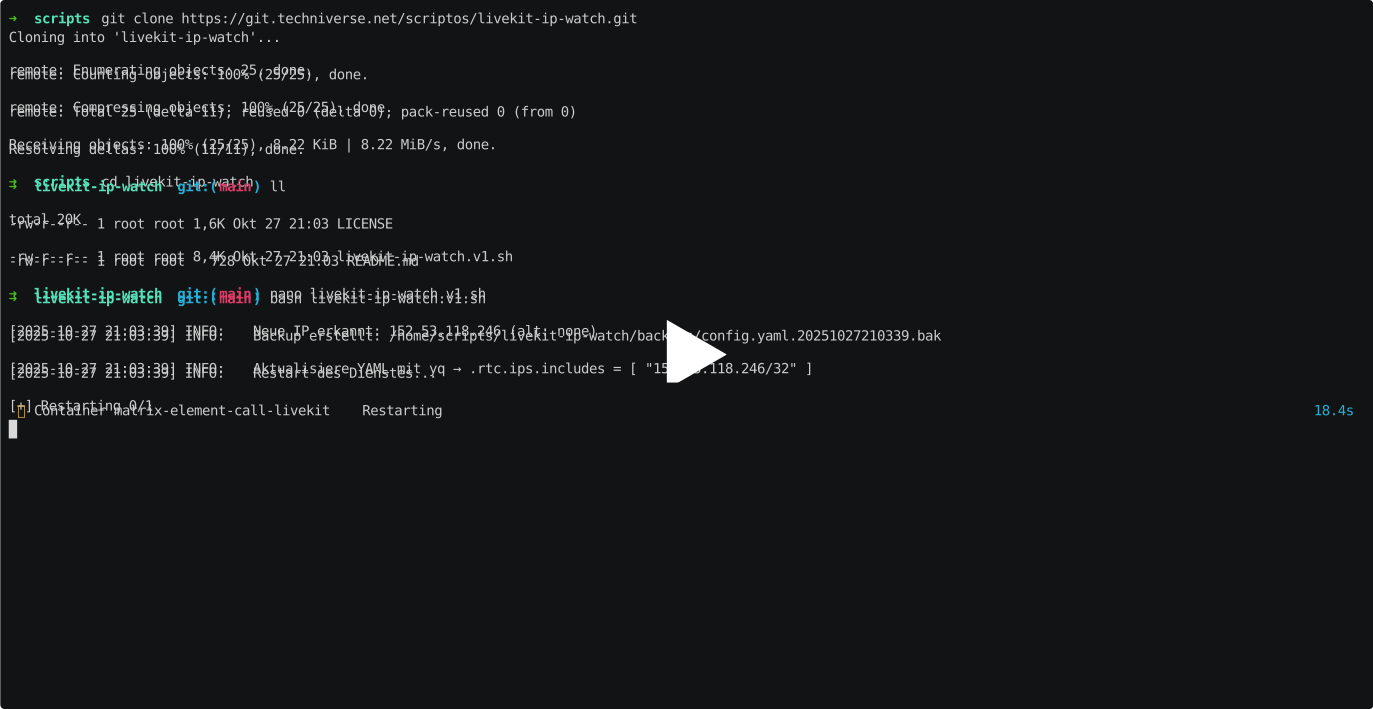](https://asciinema.techniverse.net/a/68)
|
||||||
|
|
||||||
|
---
|
||||||
|
|
||||||
|
## ⏰ Automatische Ausführung (Cronjob)
|
||||||
|
|
||||||
|
Damit die IP regelmäßig geprüft und aktualisiert wird, kannst du das Script z. B. alle 15 Minuten ausführen:
|
||||||
|
|
||||||
|
```bash
|
||||||
|
crontab -e
|
||||||
|
```
|
||||||
|
|
||||||
|
Und füge diese Zeile hinzu:
|
||||||
|
|
||||||
|
```bash
|
||||||
|
*/15 * * * * /home/scripts/livekit-ip-watch/livekit-ip-watch.v1.sh >> /var/log/livekit-ip-watch.log 2>&1
|
||||||
|
```
|
||||||
|
|
||||||
|
---
|
||||||
|
|
||||||
|
## 🧠 Hinweis
|
||||||
|
|
||||||
|
Das Script erstellt bei jeder Änderung ein Backup der `config.yaml` und führt bei einem Fehler automatisch ein Rollback durch.
|
||||||
|
|
||||||
|
---
|
||||||
|
|
||||||
|
Autor: Patrick Asmus
|
||||||
|
Repository: https://git.techniverse.net/scriptos/livekit-ip-watch.git
|
||||||
|
|
||||||
|
---
|
||||||
|
|
||||||
|
## 💬 Support & Community
|
||||||
|
|
||||||
|
Du hast Fragen, brauchst Unterstützung bei der Einrichtung oder möchtest dich einfach mit anderen austauschen, die ähnliche Projekte betreiben? Dann schau gerne in unserer Techniverse Community vorbei:
|
||||||
|
|
||||||
|
👉 **Matrix-Raum:** [#community:techniverse.net](https://matrix.to/#/#community:techniverse.net)
|
||||||
|
Wir freuen uns auf deinen Besuch und helfen dir gerne weiter!
|
||||||
|
|
||||||
|
|
||||||
<p align="center">
|
<p align="center">
|
||||||
|
|||||||
@@ -5,9 +5,9 @@
|
|||||||
# Synapse: https://git.techniverse.net/scriptos/livekit-ip-watch.git
|
# Synapse: https://git.techniverse.net/scriptos/livekit-ip-watch.git
|
||||||
# Autor: Patrick Asmus
|
# Autor: Patrick Asmus
|
||||||
# Web: https://www.cleveradmin.de
|
# Web: https://www.cleveradmin.de
|
||||||
# Version: 1.0
|
# Version: 1.2.1
|
||||||
# Datum: 27.10.2025
|
# Datum: 27.10.2025
|
||||||
# Modifikation: Initial
|
# Modifikation: Funktion "detect_compose_cmd" nachträglich committed.
|
||||||
#####################################################
|
#####################################################
|
||||||
|
|
||||||
set -euo pipefail
|
set -euo pipefail
|
||||||
@@ -35,9 +35,8 @@ ENABLE_IPV6=false
|
|||||||
# Wartezeit nach Neustart (Sekunden), dann Healthcheck
|
# Wartezeit nach Neustart (Sekunden), dann Healthcheck
|
||||||
WAIT_AFTER_RESTART=20
|
WAIT_AFTER_RESTART=20
|
||||||
|
|
||||||
# Healthcheck-Konfiguration: nur TCP
|
# Healthcheck-Konfiguration: HTTP
|
||||||
TCP_HOST="127.0.0.1"
|
HEALTHCHECK_DOMAIN="rtc.matrix.techniverse.net"
|
||||||
TCP_PORT="7881"
|
|
||||||
HEALTHCHECK_TIMEOUT=3
|
HEALTHCHECK_TIMEOUT=3
|
||||||
|
|
||||||
# ntfy (optional)
|
# ntfy (optional)
|
||||||
@@ -125,13 +124,25 @@ backup_config() {
|
|||||||
echo "$backup"
|
echo "$backup"
|
||||||
}
|
}
|
||||||
|
|
||||||
|
is_mikefarah_yq() {
|
||||||
|
yq --version 2>&1 | grep -qi 'mikefarah'
|
||||||
|
}
|
||||||
|
|
||||||
update_yaml_with_yq() {
|
update_yaml_with_yq() {
|
||||||
local cidr="$1"
|
local cidr="$1"
|
||||||
YQ_VAR_CIDR="$cidr" yq -i '
|
if is_mikefarah_yq; then
|
||||||
.rtc |= (. // {}) |
|
CIDR="$cidr" yq eval -i '
|
||||||
.rtc.ips |= (. // {}) |
|
.rtc = (.rtc // {}) |
|
||||||
.rtc.ips.includes = [env(YQ_VAR_CIDR)]
|
.rtc.ips = (.rtc.ips // {}) |
|
||||||
|
.rtc.ips.includes = [env(CIDR)]
|
||||||
' "$CONFIG_FILE"
|
' "$CONFIG_FILE"
|
||||||
|
else
|
||||||
|
yq -y -i --arg CIDR "$cidr" '
|
||||||
|
.rtc = (.rtc // {}) |
|
||||||
|
.rtc.ips = (.rtc.ips // {}) |
|
||||||
|
.rtc.ips.includes = [$CIDR]
|
||||||
|
' "$CONFIG_FILE"
|
||||||
|
fi
|
||||||
}
|
}
|
||||||
|
|
||||||
update_yaml_fallback() {
|
update_yaml_fallback() {
|
||||||
@@ -139,35 +150,55 @@ update_yaml_fallback() {
|
|||||||
local tmp
|
local tmp
|
||||||
tmp="$(mktemp)"
|
tmp="$(mktemp)"
|
||||||
awk -v newcidr="$cidr" '
|
awk -v newcidr="$cidr" '
|
||||||
BEGIN{ in_rtc=0; in_ips=0; in_includes=0; injected=0 }
|
function indent_of(s, m,sp) { match(s,/^([ ]*)/,m); sp=length(m[1]); return sp }
|
||||||
|
BEGIN { in_rtc=0; rtc_indent=-1; skipping_ips=0; ips_indent=-1; injected=0 }
|
||||||
{
|
{
|
||||||
line=$0
|
line=$0
|
||||||
if ($0 ~ /^[[:space:]]*rtc:[[:space:]]*$/) { in_rtc=1; in_ips=0; in_includes=0 }
|
ind=indent_of(line)
|
||||||
else if (in_rtc && $0 ~ /^[[:space:]]*[[:alnum:]_]+:[[:space:]]*$/ && $0 !~ /^[[:space:]]*ips:/) {
|
|
||||||
if (!in_ips && !in_includes && !injected) {
|
if ($0 ~ /^[[:space:]]*rtc:[[:space:]]*$/) {
|
||||||
|
in_rtc=1; rtc_indent=ind; injected=0
|
||||||
|
print line
|
||||||
|
next
|
||||||
|
}
|
||||||
|
|
||||||
|
if (in_rtc) {
|
||||||
|
if (skipping_ips) {
|
||||||
|
if (ind <= ips_indent) {
|
||||||
|
if (!injected) {
|
||||||
print " ips:"
|
print " ips:"
|
||||||
print " includes:"
|
print " includes:"
|
||||||
print " - " newcidr
|
print " - " newcidr
|
||||||
injected=1
|
injected=1
|
||||||
}
|
}
|
||||||
|
skipping_ips=0
|
||||||
|
} else { next }
|
||||||
}
|
}
|
||||||
if (in_rtc && $0 ~ /^[[:space:]]*ips:[[:space:]]*$/) { in_ips=1; in_includes=0 }
|
|
||||||
if (in_ips && $0 ~ /^[[:space:]]*includes:[[:space:]]*$/) { in_includes=1; next }
|
if ($0 ~ /^[[:space:]]*ips:[[:space:]]*$/ && ind > rtc_indent) {
|
||||||
if (in_includes) {
|
skipping_ips=1; ips_indent=ind
|
||||||
if ($0 ~ /^[[:space:]]*-[[:space:]]*[^[:space:]]+/) {
|
|
||||||
next
|
next
|
||||||
} else {
|
}
|
||||||
|
|
||||||
|
if (ind <= rtc_indent && $0 ~ /^[[:alnum:]]_+:[[:space:]]*$/) {
|
||||||
if (!injected) {
|
if (!injected) {
|
||||||
|
print " ips:"
|
||||||
|
print " includes:"
|
||||||
print " - " newcidr
|
print " - " newcidr
|
||||||
injected=1
|
injected=1
|
||||||
}
|
}
|
||||||
in_includes=0
|
in_rtc=0; rtc_indent=-1
|
||||||
in_ips=($0 ~ /^[[:space:]]*ips:/)?1:0
|
print line
|
||||||
|
next
|
||||||
}
|
}
|
||||||
|
|
||||||
|
print line
|
||||||
|
next
|
||||||
}
|
}
|
||||||
|
|
||||||
print line
|
print line
|
||||||
}
|
}
|
||||||
END{
|
END {
|
||||||
if (in_rtc && !injected) {
|
if (in_rtc && !injected) {
|
||||||
print " ips:"
|
print " ips:"
|
||||||
print " includes:"
|
print " includes:"
|
||||||
@@ -199,16 +230,9 @@ restart_service() {
|
|||||||
fi
|
fi
|
||||||
}
|
}
|
||||||
|
|
||||||
healthcheck_tcp() {
|
healthcheck_http() {
|
||||||
if (exec 3<>/dev/tcp/"$TCP_HOST"/"$TCP_PORT") 2>/dev/null; then
|
local url="https://${HEALTHCHECK_DOMAIN}/livekit/sfu/"
|
||||||
exec 3<&-
|
curl -fsS --max-time "$HEALTHCHECK_TIMEOUT" "$url" >/dev/null
|
||||||
exec 3>&-
|
|
||||||
return 0
|
|
||||||
elif command -v nc >/dev/null 2>&1; then
|
|
||||||
nc -z -w "$HEALTHCHECK_TIMEOUT" "$TCP_HOST" "$TCP_PORT"
|
|
||||||
else
|
|
||||||
return 1
|
|
||||||
fi
|
|
||||||
}
|
}
|
||||||
|
|
||||||
main() {
|
main() {
|
||||||
@@ -263,7 +287,7 @@ main() {
|
|||||||
info "Warte $WAIT_AFTER_RESTART Sekunden..."
|
info "Warte $WAIT_AFTER_RESTART Sekunden..."
|
||||||
sleep "$WAIT_AFTER_RESTART"
|
sleep "$WAIT_AFTER_RESTART"
|
||||||
|
|
||||||
if healthcheck_tcp; then
|
if healthcheck_http; then
|
||||||
info "Healthcheck OK."
|
info "Healthcheck OK."
|
||||||
echo "$current_ip" > "$state_file"
|
echo "$current_ip" > "$state_file"
|
||||||
notify "info" "IP geändert auf $current_ip, Dienst gesund."
|
notify "info" "IP geändert auf $current_ip, Dienst gesund."
|
||||||
@@ -280,7 +304,7 @@ main() {
|
|||||||
info "Warte $WAIT_AFTER_RESTART Sekunden (Rollback)..."
|
info "Warte $WAIT_AFTER_RESTART Sekunden (Rollback)..."
|
||||||
sleep "$WAIT_AFTER_RESTART"
|
sleep "$WAIT_AFTER_RESTART"
|
||||||
|
|
||||||
if healthcheck_tcp; then
|
if healthcheck_http; then
|
||||||
warn "Rollback erfolgreich. System läuft wieder mit alter Konfiguration."
|
warn "Rollback erfolgreich. System läuft wieder mit alter Konfiguration."
|
||||||
notify "warn" "Rollback erfolgreich. Bitte prüfen. Alte IP bleibt ${last_ip:-unbekannt}."
|
notify "warn" "Rollback erfolgreich. Bitte prüfen. Alte IP bleibt ${last_ip:-unbekannt}."
|
||||||
exit 10
|
exit 10
|
||||||
|
|||||||
Reference in New Issue
Block a user